
This week I started coding the app, which felt like a big step forward in my learning journey. At first, I found it difficult to understand how components worked in React Native, especially how to create them separately and then reuse them across different screens. However, once I got my head around this, the coding process became much easier and more efficient.
Using reusable components helped me build the app much faster, and I managed to code 9 pages this week. This showed me how important good planning and organisation are in app development. Instead of repeating the same code on every page, I was able to create components such as buttons, text styles and settings rows that could be used multiple times. This not only saved time but also made the app more consistent in its design.
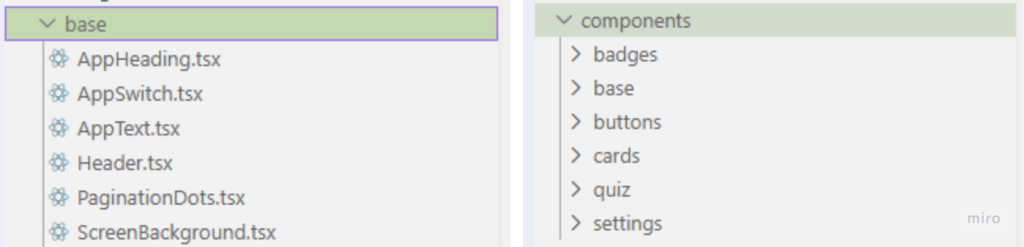
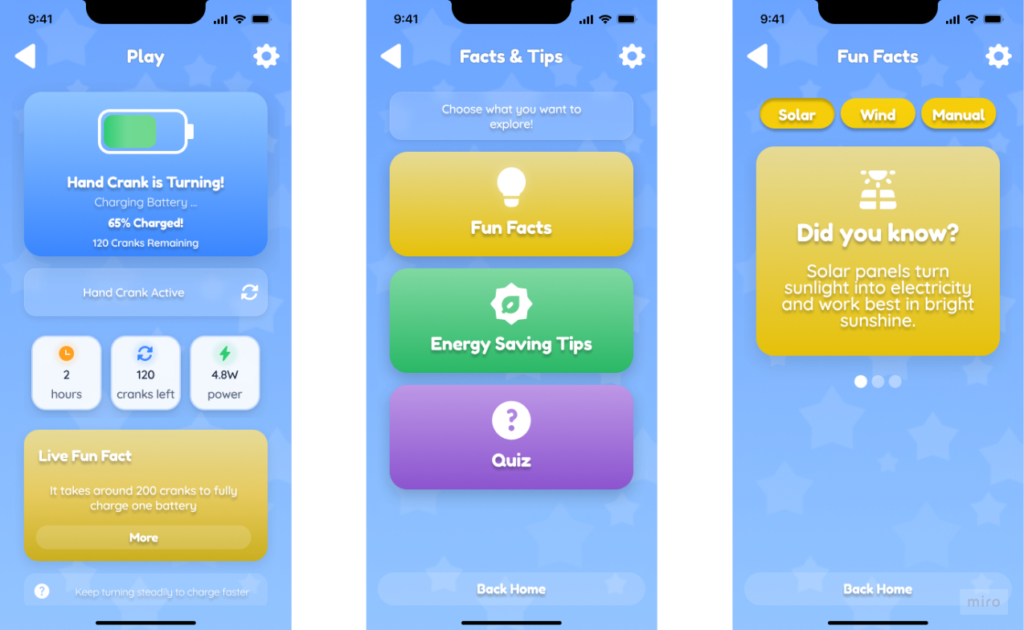
I feel like I have learnt a lot this week, particularly about React and React Native, and I am becoming much more confident using them. I also realised that coding becomes less overwhelming when it is broken down into smaller sections. This is something I will take forward into future projects, as reusable components are useful for creating apps that are easier to edit, improve and maintain.
export default function InstructionCard({
  iconLibrary = "Feather",
  iconName,
  title,
}: InstructionCardProps) {

// Using props meant I could change the title and content without rewriting the whole layout each time.
Overall, I enjoyed seeing the app begin to come together properly. It has made me feel more motivated to finish the project next week. I still need to continue improving my understanding of React Native, especially how to make the app more interactive and accessible, but I feel much more confident than I did at the start of the development process.